Getting started with Copia
Install Copia, walk through the setup checklist, and get ready for your first member.
Copia runs inside your Shopify admin. Every CSA member becomes a regular Shopify customer, and every charge is a regular Shopify order, so the store you already have does the heavy lifting.
Setup takes about 30 minutes. The setup checklist inside Copia walks you through it step by step.
Before you begin
You’ll need:
- A Shopify store (any plan)
- A product in Shopify for your CSA, like “Veggie Box”, with one variant per size (Half, Full, Family…). Copia reads names and prices from these variants.
The setup checklist
After you install Copia, open it from Apps → Copia CSA in your Shopify admin. Until setup is done, the home page shows a checklist with these steps:
- Welcome: a quick intro to how Copia works.
- Farm profile: your farm name, logo and brand colour. These show up on your signup form, member emails and the member portal.
- Share types: link your CSA product so Copia knows your sizes and prices. See Share types and sizes.
- Pickup locations: where members collect their boxes. Skip this if you only do home delivery. See Pickup locations.
- First season: your delivery dates and how often boxes go out. See Seasons and delivery dates.
- Add to your store: put the signup form on your product page. See Adding the signup form to your store.
- Member portal: give members a “My CSA” page in their customer account. See Setting up the member portal.
- Launch: you’re ready for members.
You can leave and come back at any time. Copia remembers where you were.
Your dashboard
Once setup is done, the home page becomes your dashboard. It shows today’s deliveries, failed charges, new signups and upcoming delivery days at a glance.
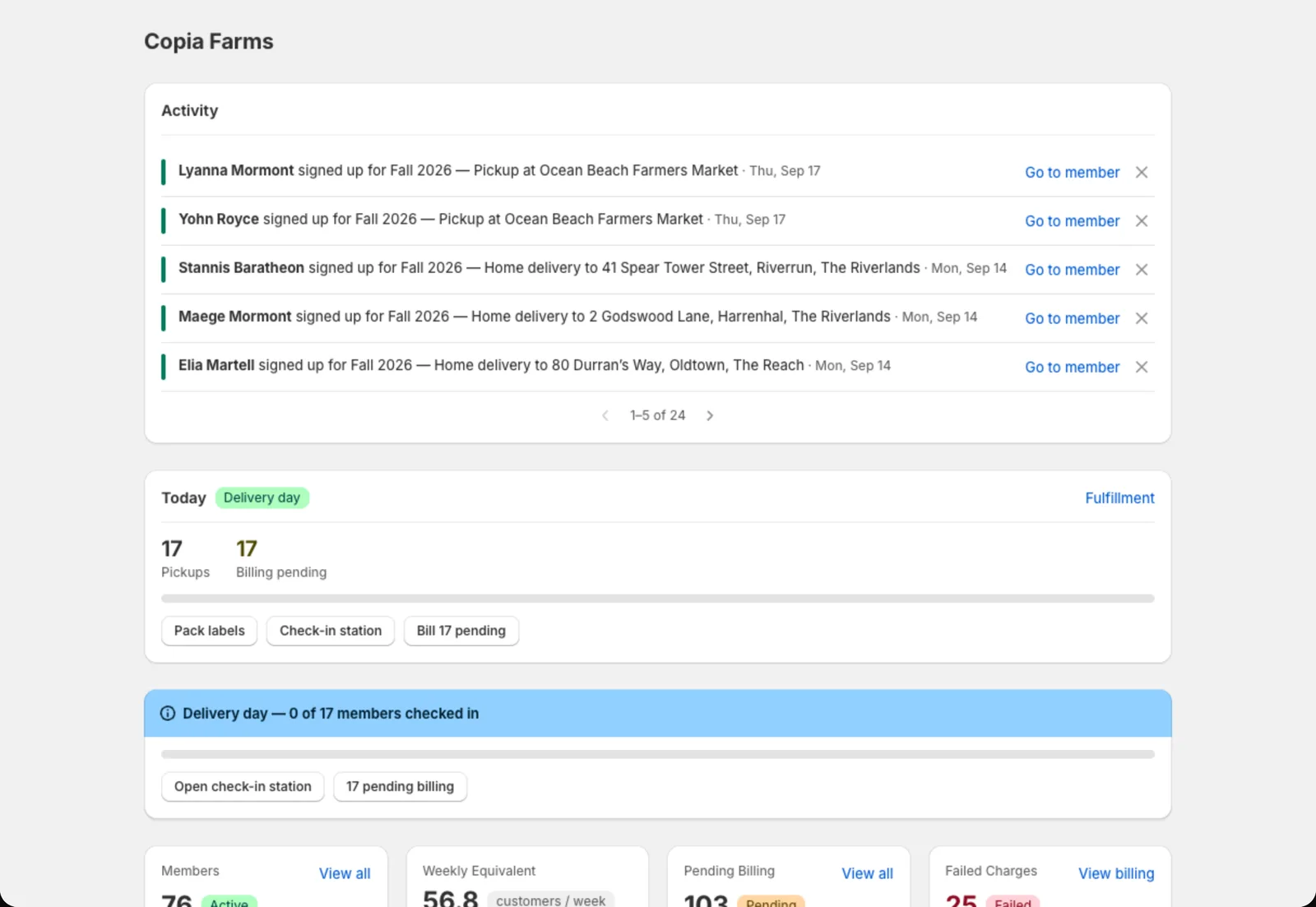 Your dashboard: today’s work at the top, recent activity on the side.
From here, a typical week looks like this:
- Plan the box for the next delivery day in Harvest Planning.
- Bill members for that day in Billing.
- Print the pack list and labels (Pack lists and labels).
- Deliver: hand out boxes at pickup with Check-in, or send drivers out on Delivery routes.
Tip: Only use some of these features? Hide the ones you don’t need from the Copia menu in Settings → Navigation.
Need a hand?
Book a 20-minute onboarding call and we’ll set it up together.