Holds, skips and credits
How pausing, skipping a week and credit balances work, for you and your members.
Members miss weeks: vacations, a busy month, too many zucchini. Copia handles this with skips, holds and credits.
Skipping a week
A skip takes a single delivery off. The member isn’t billed for that box, and it doesn’t appear on the pack list.
- Members skip and unskip from the member portal, up until your change cutoff. After that the delivery shows Locked.
- You skip from the member page: click Skip next to the delivery. Unskip puts it back.
You can turn off member skipping for a share type in Share Types → Configure → Member box preferences.
If the week was invoiced but not paid yet, skipping it cancels that unpaid order. No credit is added, since nothing was paid. If one order covers several deliveries, it isn’t cancelled: you’ll see a message asking you to edit or cancel that order in Shopify instead.
Putting a membership on hold
A hold pauses every delivery in a date range. It’s good for vacations or a winter break.
- Open the member and click Put on Hold.
- Pick a start and end date. Leave both blank to pause from today until you resume them.
- Confirm.
Members can do the same from the portal. To resume early, click Cancel Hold. Their remaining deliveries come back and are billed as normal.
Paid boxes are never affected by a hold. If a box was invoiced but not paid yet, it’s dropped and the unpaid order is cancelled.
When a member pauses, any delivery already past your change cutoff still goes out and is billed, and the pause starts with the next one. The portal tells them before they confirm. Credit only covers the deliveries that were actually paused.
Credits
A member’s credit balance is money you owe them. It comes off their next bill automatically.
Credits are added when:
- A member pauses, and the season has Hold generates credit turned on (Seasons → your season). The credit is the price of every box in the paused dates, whether or not those boxes were billed yet. With no end date, that’s every remaining box in the season. If members pay per delivery, they weren’t going to be billed for those boxes anyway, so you may want this setting off. It’s on by default.
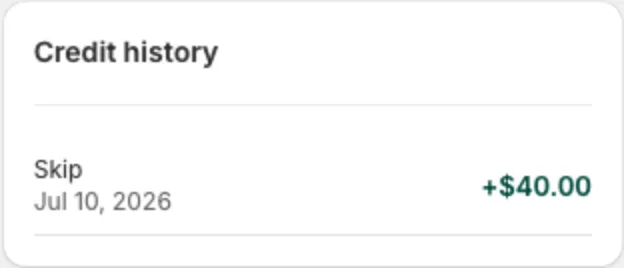
- A delivery that hasn’t been billed yet is skipped (with the same setting on). Like holds, this credits the box’s price even though the member wasn’t going to be billed for it.
- You set it by hand: open the member, click Edit, and change Credit balance. Use this for a damaged box, a short week, or a goodwill gesture.
- A member who paid for the season upfront removes or lowers an add-on on deliveries they already paid for. See Add-ons.
Members see their balance in the portal under Your Credit, along with recent activity. They can choose whether to put it toward their next delivery. Members who paid for the season upfront have no more delivery charges, so their credit is used first on their next add-on invoice instead.
Charging extra instead
To charge a member more (a replacement bag, a missed add-on), open the member and use Bill adjustments → Add to next bill. It’s added to their next invoice as its own line, with the description you enter.